Protein Calculator in Food: Recipe Method
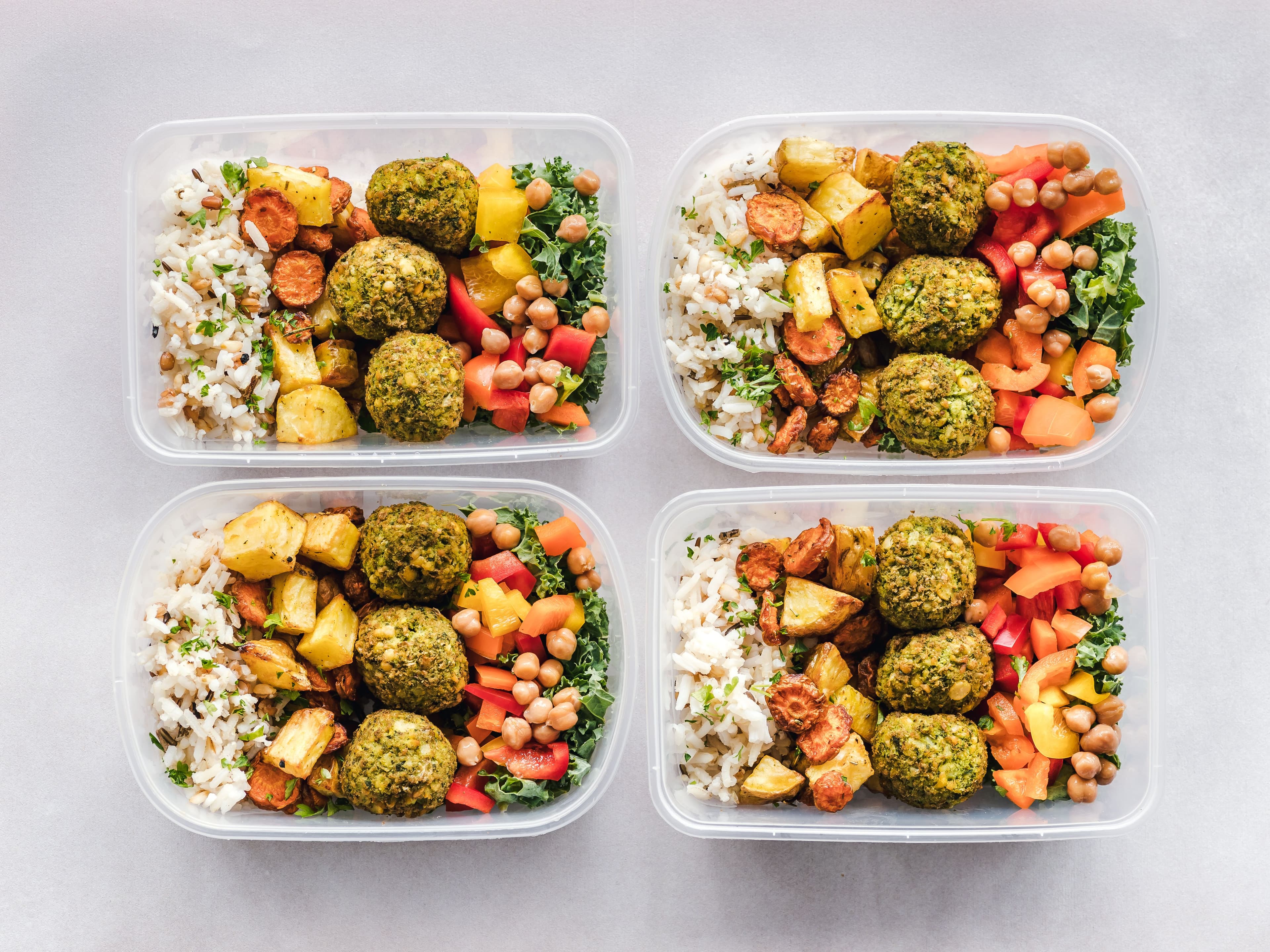
A protein calculator in food works best when it is used to answer a plain question: how much protein is in this portion of this recipe? It is not a diagnosis, a training plan or a promise about what a food will do for someone. Start with ingredient weights, verify the food matches, then divide the batch into the portions people actually eat.
- Protein per serving depends on the same serving decision as calories and other nutrients.
- Raw versus cooked meat, drained versus undrained beans and brand choice can change the selected food record.
- A recipe's protein total is useful information, not personalised dietary advice.
A useful label workflow has two separate jobs: establish defensible nutrition data, then present it in the form people need. The FDA's label explainer is clear that values are per serving, while the FDA's food-business guidance points producers back to their final formulation and local requirements. Keep those jobs distinct and you avoid a surprisingly common mistake: treating a tidy-looking panel as proof that the underlying recipe was checked.
The decision before the design
Before opening a template or comparing software, write down the actual decision the page, label or data feed has to support. Is someone choosing a serving size, preparing a package for print, comparing two ingredients, or asking an application for nutrient values? The answer changes what needs checking. Mealary keeps the calculation traceable to USDA FoodData Central records, then applies the FDA's rounding and Daily Value rules to the per-serving result. That makes it easier to spot an unresolved ingredient before it becomes a costly reprint.
Keep the hand-offs intentional. Use the nutrition calculator to establish the recipe result, the label generator to create the panel and the practical blog library to answer the next operational question. That is a less brittle workflow than copying values between spreadsheets, templates and design files.
The point is not to turn a small food business into a paperwork factory. It is to make the next correction cheap. If a supplier changes, a serving changes or a printer asks for a new format, a compact record lets the right person update one connected workflow instead of reconstructing the decision from a screenshot. That is the difference between a useful estimate and an output a team can confidently review.
Use a deliberately ordinary quality check before you call the work done. Read the ingredient entry as someone else would, compare the serving to the pack, look at the selected source rather than only the final number, and make one small proof at the physical size a customer will see. Those four checks are quick because they are specific. They also catch the awkward errors that a dashboard, a beautiful template or a persuasive sales page tends to hide: a raw food selected for a cooked recipe, a six-serving calculation attached to four containers, a changed supplier, or a panel that is simply too small to read once it is printed.
Keep that review proportionate. A family recipe being explored for dinner needs a sensible estimate; a packaged product, a published menu or an API response that drives another system needs a record another person can follow. In both cases, clear inputs and explicit uncertainty are better than manufactured certainty. When something does not match, pause at the input and correct it there. Reworking the source is safer than polishing a result that was built from the wrong food, portion or assumption.
| Food | Check | Why |
|---|---|---|
| Chicken | raw or cooked record | water loss changes concentration |
| Greek yoghurt | plain or flavoured product | brand formulations vary |
| Beans | drained weight | the edible quantity matters |
| Protein powder | specific product label | formulas differ substantially |
Protein calculation questions that change the answer
A practical way to do it
- Record ingredients by weight and note preparation state.
- Choose the closest food record for each protein-bearing ingredient.
- Review the batch protein total and divide by the final serving count.
- Use the same serving description wherever the number is shown.
Protein is not the only number worth checking
A high-protein recipe can still be high in sodium, saturated fat or added sugars, depending on the ingredients. That is why a protein total works better as part of a full recipe analysis than as a floating badge. Read it in the same per-serving view as calories, carbohydrate, fat and the ingredient list. This is especially useful for meal-prep menus where two bowls may have similar protein but very different overall profiles.
The FDA's Nutrition Facts guidance distinguishes the nutrients that appear on the panel from the larger question of an individual's diet. Keep that distinction in the copy around a recipe. State the amount in the serving; do not slide into a claim that one bowl is right for every body, activity level or health condition.
Preparation state is the usual source of surprises
A cooked chicken breast generally contains the nutrients from its raw weight in a smaller, drier package, while a canned bean entry may assume a particular drained state. If the calculator match does not reflect the food on the chopping board, the protein figure can look plausible and still be mismatched. Specify the state in the ingredient line and inspect the returned record before continuing.
The same point applies to powders and bars. A branded product can contain ingredients and amounts that a generic entry misses. When the exact label is available, use it as part of the review and keep it with the recipe record. Nutrition analysis is more credible when the next person can see why a particular match was chosen.
Make the portion easy to repeat
A recipe that makes 80 g of protein in total has not answered the useful question until it is divided into portions. Four equal servings provide a very different meal from eight snack portions. Decide how it will be served, state that plainly and use a scale or scoop where the business needs consistency. It is a simple operational habit with a large effect on what the number means.
For a printable panel, let the full recipe macro calculator guide sit alongside the calculation. It explains the relationship between protein, carbohydrate and fat without treating macros as a shortcut past the rest of the label. A customer deserves enough context to make their own decision.
A realistic working example
Checks that save a second pass
- Using an unqualified generic match for a branded powder.
- Reporting batch protein as if it were one serving.
- Focusing on protein and never reviewing the rest of the nutrient profile.
- Making personal health promises from a recipe calculation.
“The %DV shows how a nutrient in one serving contributes to the daily diet.”
Enter each weighed ingredient, review the selected food records, add the batch protein total and divide it by the number of servings.
Cooking can change water content and portion weight. Use a food record that reflects the state you are calculating.
Protein is shown on Nutrition Facts, but its %DV treatment has specific rules. Review the applicable FDA guidance for your product.
A protein number earns trust when it names the portion and shows its working. Run the whole dish through Mealary, not only the headline ingredient, then use the per-serving result as information rather than marketing shorthand.
Stop calculating nutrition by hand
Mealary turns any recipe into per-serving nutrition and a print-ready FDA Nutrition Facts label. It's computed from USDA FoodData Central, with the rounding and %DV done for you and every value cited to its source.